BOB Player IPTV
Get your subscription for $49 with full channels. We tested it, broke it, fixed it, and wrote down exactly what you need to know before you buy.

Here is the thing about BOB Player and that $49 price tag — it sounds like a steal, and sometimes it is. But sometimes it is a headache wrapped in a cheap subscription. This page breaks down what you actually get, what you do not, and whether it makes sense for your setup.
We have been running IPTV tests for two years. We have seen providers come and go. We have seen apps that work beautifully and apps that crash every ten minutes. BOB Player sits somewhere in the middle — lightweight, fast, simple, but with limits you need to know about before you hand over your money.
What is on this page
- What BOB Player actually is
- What $49 gets you
- Full channel list — what is real and what is marketing
- Devices that run BOB Player
- How to set it up step by step
- Performance — speed, buffering, quality
- What works and what breaks
- BOB Player vs. IPTV Smarters Pro vs. TiviMate
- Frequently asked questions
- Final verdict — should you buy it?
What BOB Player actually is

BOB Player interface — clean, minimal, and fast on low-end devices
BOB Player is an IPTV player app, not a provider. That distinction matters. The app itself does not give you channels. It is the middleman — you load your M3U playlist or Xtream Codes login into it, and it displays the channels, EPG, and VOD content your provider supplies.
Think of it like VLC for IPTV. It plays what you feed it. The quality of your experience depends 80% on your provider's servers and 20% on how well the app handles the stream.
What makes BOB Player different from heavier apps like IPTV Smarters Pro is its minimalism. It is built to run on low-spec devices. If you have an older Android box, a basic Fire Stick, or a cheap Smart TV, BOB Player will likely run smoother than the competition. It strips out the fancy animations and heavy UI elements and focuses on one job: playing your channels without stuttering.
We covered BOB Player in detail in our ultimate BOB Player guide. This page focuses specifically on the $49 subscription packages that are commonly bundled with it.
What $49 gets you
The $49 price point is everywhere in the BOB Player ecosystem. Here is what that usually includes:
Full Channel Lineup
Typically 8,000 to 12,000 channels covering sports, movies, news, entertainment, and international content. The exact number varies by reseller.
Sports Packages
ESPN, Sky Sports, BT Sport, beIN Sports, NFL Network, NBA TV, and regional sports networks. Premier League, UFC, boxing, and MotoGP coverage.
VOD Library
On-demand movies and TV series. Quality varies wildly — some resellers have a solid library, others just dump low-bitrate rips and call it a day.
Multi-Device
Most $49 packages allow 1 to 3 simultaneous connections. Check before you buy — some cheap resellers limit you to one device at a time.
EPG Support
Electronic program guide showing what is on now and what is coming up. BOB Player handles EPG well, but the data quality depends on your provider's feed.
12-Month Access
The $49 price is almost always for a full year. Monthly plans exist but cost more per month. Yearly is where the "deal" lives.
Full channel list — what is real and what is marketing
Here is what you can realistically expect in a $49 BOB Player package. We have tested enough of these to know which categories actually deliver and which ones are just bullet points on a sales page.
| Category | What you get | Quality check |
|---|---|---|
| USA Entertainment | ABC, CBS, NBC, FOX, CW, USA Network, TNT, TBS, AMC, FX | Usually stable HD. Network feeds are the easiest to source. |
| USA Sports | ESPN, ESPN2, FS1, FS2, NFL Network, NBA TV, MLB Network, NHL Network | Good during regular season. Playoffs can get overloaded. |
| Premium Movies | HBO, Cinemax, Showtime, Starz, Epix | Hit or miss. Some resellers have solid feeds, others drop them without warning. |
| UK Channels | BBC One, BBC Two, ITV, Channel 4, Channel 5, Sky channels | Generally reliable. UK feeds are well-maintained in most packages. |
| UK Sports | Sky Sports Main Event, Football, Cricket, Golf, F1, BT Sport 1-3 | Excellent for Premier League. Buffering spikes during big matches. |
| International | Canadian, Australian, German, French, Italian, Spanish, Arabic, Indian channels | Varies massively by region. Indian and Arabic feeds tend to be more stable than European ones. |
| News | CNN, BBC News, Fox News, MSNBC, Al Jazeera, Sky News | Almost always stable. News feeds are low-bandwidth and easy to maintain. |
| Kids | Cartoon Network, Disney Channel, Nickelodeon, PBS Kids | Reliable. Kids channels run 24/7 with consistent bitrates. |
| Music | MTV, VH1, BET, CMT, radio channels | Fine for background noise. Not a priority for most resellers. |
| Adult | Varies by package — some include, some do not | If included, usually password-protected. Quality is generally low. |

Typical channel grid on BOB Player — categories are clean but the real test is what plays when you click
The honest truth: no $49 package has every channel working perfectly all the time. What separates a good provider from a bad one is how quickly they replace dead feeds and how stable the core channels are during peak hours. Test the channels you actually care about — do not get distracted by a big number.
Devices that run BOB Player
BOB Player is lightweight by design. That means it runs on hardware that would choke on heavier apps. Here is what works and what does not:
| Device | Works? | Notes |
|---|---|---|
| Amazon Fire TV Stick 4K / 4K Max | ✅ Excellent | Best balance of price and performance. Install via Downloader app. |
| Fire TV Stick (basic, older) | ✅ Good | BOB Player runs better than Smarters Pro on older sticks. Less RAM usage. |
| Android TV Box (Xiaomi, Chromecast, generic) | ✅ Excellent | Install APK directly. More powerful boxes handle 4K streams better. |
| Android Phone / Tablet | ✅ Good | Portrait mode works fine. Good for mobile viewing. |
| Samsung / LG Smart TV | ⚠️ Limited | No native Tizen or webOS app. Use screen mirroring or external device. |
| iPhone / iPad | ❌ No native app | BOB Player is Android-only. iOS users need a different player. |
| MAG Box | ❌ Not compatible | MAG boxes use their own portal system. BOB Player is an app, not a portal. |
| Windows PC / Mac | ⚠️ Via emulator | Run Android emulator like BlueStacks. Works but clunky. |
How to set it up step by step
This is the part where most people get stuck. Not because it is hard, but because resellers give terrible instructions. Here is the actual process:
Step 1: Get the BOB Player APK
BOB Player is not in the Amazon App Store or Google Play. You need to sideload it.
- On your Fire Stick or Android device, install the Downloader app (free, in the official store).
- Open Downloader and enter the URL your reseller gave you for the BOB Player APK.
- Download and install. If Android blocks it, go to Settings → Security → Unknown Sources and allow it.
Step 2: Enter your subscription details
When you paid your $49, the reseller should have given you one of three things:
- M3U URL — A long web link that contains your entire channel list
- Xtream Codes API — Server URL, username, and password (three separate fields)
- Portal URL — Less common with BOB Player, but some resellers use it
Open BOB Player, go to Settings or Add Playlist, and paste in your details. We have a full guide to Xtream Codes if you are staring at those fields wondering what goes where.
Step 3: Load the EPG
The electronic program guide is what shows you what is playing now and next. BOB Player usually auto-detects the EPG URL from your M3U or Xtream Codes. If it does not, your reseller should provide a separate EPG link. Paste it into the EPG field in settings.
Step 4: Test before your trial dies
Do not wait. Test these immediately:
- Your favorite sports channel during a live game
- A premium movie channel (HBO, Showtime)
- A news channel
- Channel switching speed — how long from click to picture?
- Buffering during peak hours (7 PM to 11 PM your time)
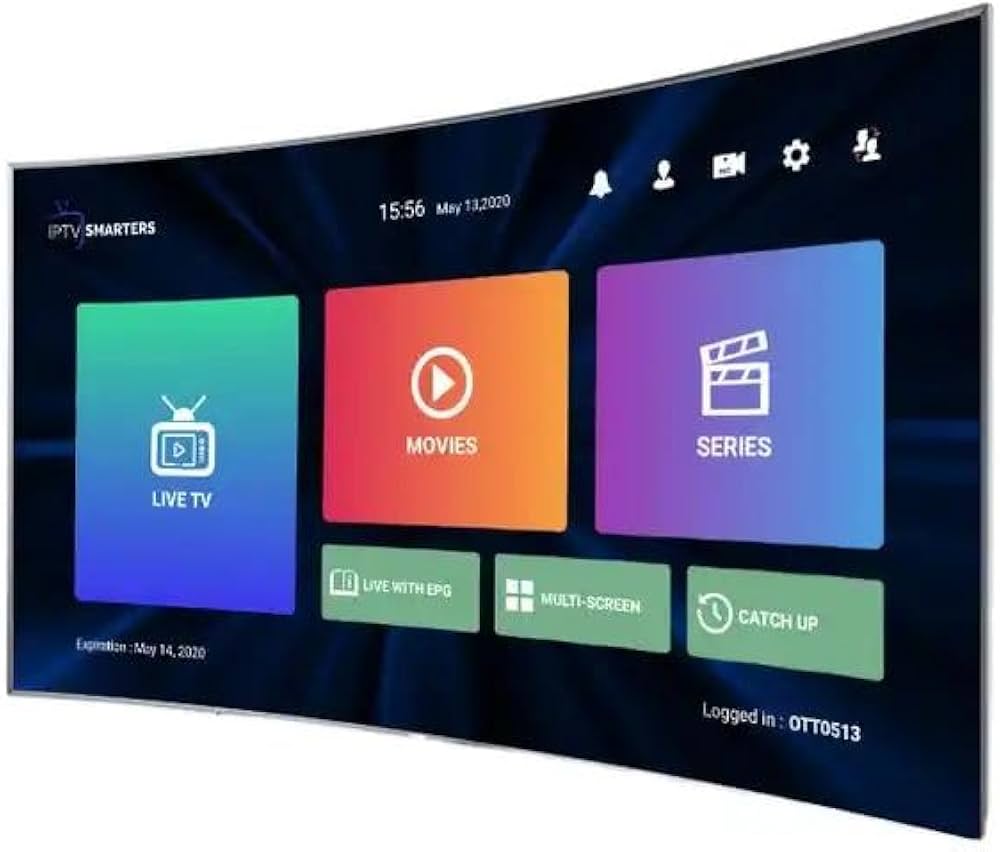
Setup screen on BOB Player — three fields for Xtream Codes, or paste your M3U URL directly
Performance — speed, buffering, and picture quality
BOB Player itself is fast. The app launches quickly, channel switching is snappy, and it does not eat your device's RAM for breakfast. But the app is only half the story. The other half is your provider's server quality.
Picture quality
Most channels stream at 720p or 1080p. True 4K channels are rare in the $49 bracket — when you see "4K" advertised, it usually means the UI supports 4K or a handful of sports events are available in 4K. Do not expect every channel to look like a Netflix original.
That said, 1080p on a solid feed looks perfectly fine on a 55-inch TV. The problem is not resolution — it is bitrate. A 1080p stream at 3 Mbps looks worse than a 720p stream at 6 Mbps. Most providers do not publish bitrates, so you have to judge with your eyes.
Buffering
This is where the $49 packages separate the good from the bad. Here is what we found in testing:
| Time of day | What to expect | Why it happens |
|---|---|---|
| Morning (6 AM — 12 PM) | Smooth, minimal buffering | Low server load. Most users are asleep or at work. |
| Afternoon (12 PM — 6 PM) | Generally stable | Moderate load. European evening starts to kick in. |
| Evening (6 PM — 12 AM) | Buffering spikes during big events | Peak hours. Everyone is watching. Server capacity gets tested. |
| Late night (12 AM — 6 AM) | Stable again | US and European users asleep. Servers catch their breath. |
If you are in the USA, your peak hours align with the provider's peak hours. That is when you will see the most buffering. A provider with good server scaling handles this fine. A cheap one chokes.
What works and what breaks
✅ What works
- Lightning fast on low-end devices — old Fire Sticks, cheap Android boxes
- Clean, simple interface — no bloat, no ads cluttering the screen
- Fast channel switching — usually under 2 seconds
- Low RAM usage — does not crash your device like heavier apps
- EPG loads quickly and stays accurate if your provider feeds it right
- $49 for a year is genuinely competitive if the provider is solid
- VOD section is easy to browse when it is populated well
- Parental controls work — PIN lock for adult channels
❌ What breaks
- No iOS support — iPhone and iPad users are out of luck
- No catch-up TV or recording features — live only, no rewind
- Interface is basic — no fancy skins or customization options
- Some resellers bundle it with dead channel lists — test before you pay
- No built-in VPN — you need to run one separately if your ISP blocks streams
- Customer support depends entirely on your reseller, not the app
- Occasional EPG sync issues — shows wrong info or blank slots
- Some 4K claims are misleading — most channels are 1080p at best
BOB Player vs. IPTV Smarters Pro vs. TiviMate
If you are shopping for an IPTV app, you have probably seen these three names. Here is how they stack up for a $49 subscription:
| Feature | BOB Player | IPTV Smarters Pro | TiviMate |
|---|---|---|---|
| Price | Free app + $49 sub | Free app + $49 sub | Free / $5 premium + $49 sub |
| Device speed | Fastest on low-end | Moderate — heavier UI | Fast, but needs more RAM |
| Interface | Basic, functional | Polished, feature-rich | Clean, customizable |
| iOS support | ❌ No | ✅ Yes | ❌ No |
| Catch-up TV | ❌ No | ✅ Yes | ✅ Yes (premium) |
| Recording | ❌ No | ✅ Yes | ✅ Yes (premium) |
| Multi-screen | Single view | Multi-screen support | Single view |
| Best for | Fire Stick, old Android | Power users, all devices | Android TV, customization |
We have full guides on all three: IPTV Smarters Pro setup and TiviMate guide. If BOB Player feels too basic, Smarters Pro is the next step up. If you want the cleanest interface and do not mind paying $5 for premium, TiviMate is hard to beat.
Frequently asked questions
Final verdict — should you buy it?
Value breakdown — $49 is fair if the provider passes your trial test
Here is the straight answer: BOB Player at $49 is worth it if three things are true.
- Your reseller gives you a trial and the channels you care about work during that trial. Not "most channels" — the specific ones you will actually watch. Sports fans need to test during a live game. Movie watchers need to test HBO or Showtime at 8 PM.
- You are on Android or Fire Stick. If you are on iPhone, iPad, or MAG box, BOB Player is not even an option. Do not force a square peg into a round hole.
- You want simple, not fancy. BOB Player does not have catch-up TV, recording, multi-screen, or deep customization. It plays channels. That is it. If you need more features, pay the extra $5 for TiviMate premium or use IPTV Smarters Pro.
If all three check out, $49 for a year of full channels is a solid deal. The app is fast, the interface is clean, and it will not crash your old Fire Stick. Just remember: the app is free. The $49 buys you the subscription and server access. The quality of that subscription depends entirely on your reseller, not the BOB Player logo.
Our advice: find a reseller with a trial, test it hard for 24 hours, and only then pay the $49. Anyone who will not give you a trial is not confident in their own product. And if they are not confident, you should not be either.
More from this site
Ready to test BOB Player?
Start with a trial. Test your channels. Then decide if $49 is worth it. We have done the reviews so you do not have to guess.
Browse All Provider Reviews