
Review · updated 28 September 2026
Televo IPTV review: plans, prices and how it compares with UKProviderNow
Televo IPTV is an online IPTV store with a dedicated UK line of plans, from a £19.99 one-month plan up to a £150 Lifetime plan. This review covers what Televo offers, what it costs, how ordering and refunds work, and how it compares with UKProviderNow.
How we reviewed it: everything about Televo below comes from its own website, plan pages and terms on 28 September 2026. We haven't tested Televo's streams ourselves, so performance claims are Televo's own. Disclosure: UKProviderNow, used for comparison, is a sister service of this site.
Televo IPTV at a glance
- UK plans
- 1 month £19.99 · 6 months £40 · 1 year £59 · 2 years £89 · Lifetime £150
- Connections
- 1 per UK plan
- Delivery
- Xtream Codes login or M3U URL, by email
- Ordering
- Money-back
- 7 days on the 1-year Premium plan; otherwise case by case
- Free trial
- 24 hours on the World IPTV 12-month plan only
- Support
- WhatsApp, email and contact form
- Website
- televouk.com
Pros
- Widest choice of plan lengths here, from 1 month to Lifetime
- £19.99 one-month plan to try the service without a long commitment
- Lifetime plan for a one-off £150
- Standard Xtream Codes / M3U delivery that works with popular IPTV apps
- Free tools, such as a buffering test and device checker
Cons
- Prices are shown in £, € and $ across different ranges, which can be confusing
- Money-back guarantee only on the 1-year Premium plan
- 1 connection per UK plan
- Catch-up varies by plan (none on 1 month, up to 4 days on Lifetime)
- Uptime and "anti-freeze" claims are Televo's own and not independently verified
What is Televo IPTV?
Televo IPTV describes itself as an online store built around streaming. Its main product is IPTV access — live channels, an on-demand library, an electronic programme guide (EPG) and catch-up on supported plans — sold as fixed-term plans rather than a rolling contract. Its IPTV UK line is aimed at UK viewers who want UK live TV, sport and films on a Smart TV, Firestick or IPTV box.
Alongside IPTV, Televo sells a privacy VPN, activations for IPTV player apps such as TiviMate, IPTV Smarters Pro, IBO Player and Televizo, and a range of international plans. It also lists partner plans from UKProviderNow, which are sold and fulfilled by UKProviderNow rather than Televo.
Televo IPTV prices (2026)
These are the prices on Televo's IPTV UK plan pages on 28 September 2026. All are single payments for the stated term.
| Plan | Price | Per month | Notes (per Televo) |
|---|---|---|---|
| 1 Month | £19.99 | £19.99 | 1 connection; catch-up not included |
| 6 Months | £40 | £6.67 | 1 connection |
| 1 Year (Premium) | £59 | £4.92 | 7-day money-back guarantee; automated email delivery |
| 2 Years | £89 | £3.71 | 1 connection |
| Lifetime | £150 | — | One-off payment; catch-up up to 4 days |
Televo also lists a separate range priced in euros (for example a 6-month plan at €69, a 3-year plan at €159 and a lifetime activation at €190) and "private account" plans. If you're in the UK, make sure you're looking at the IPTV UK plans, which are priced in pounds.
Current prices: Televo IPTV plans.

What's included with Televo IPTV
According to Televo's plan pages, its UK plans include:
- UK live TV, sport (including PPV coverage, per the Lifetime page), films and box sets
- An on-demand (VOD) library and an EPG TV guide
- HD and Full HD, with 4K "where the channel and your device support it"
- Catch-up on some plans (up to 4 days on Lifetime; not on 1 month)
- Delivery as an Xtream Codes login or M3U playlist URL
Televo's plan cards also advertise a built-in VPN, "anti-freeze technology" and a 99.9% uptime guarantee. These are Televo's own claims; we haven't been able to verify them, and Televo doesn't publish a full channel list.
Ordering, delivery and activation
Televo's plans are ordered on WhatsApp. After payment, Televo says it emails your login details — server address, username and password for Xtream Codes, or an M3U playlist URL — along with a setup guide, usually the same day. You then add the details to a compatible IPTV app. Its terms describe subscriptions as digital products delivered "by email or message, usually the same day".
Refunds and free trial
Televo's terms of service say refunds are handled case by case, and plans that include a money-back guarantee are refunded under that plan's terms. On the UK line, the 1-year Premium plan lists a 7-day money-back guarantee. A 24-hour free trial is listed on the World IPTV 12-month plan, not on the UK plans. Televo asks customers to contact support before raising a chargeback.
Support
Televo's contact page points to WhatsApp as the fastest route, "usually within minutes", with email and a contact form as alternatives. It also offers free tools, including an IPTV buffering test and an IPTV device checker.
Televo IPTV devices and apps
Televo lists Smart TVs, Firestick, Android boxes, MAG devices, phones, tablets and computers. Because it delivers standard Xtream Codes and M3U logins, any device that runs a compatible IPTV app should work.
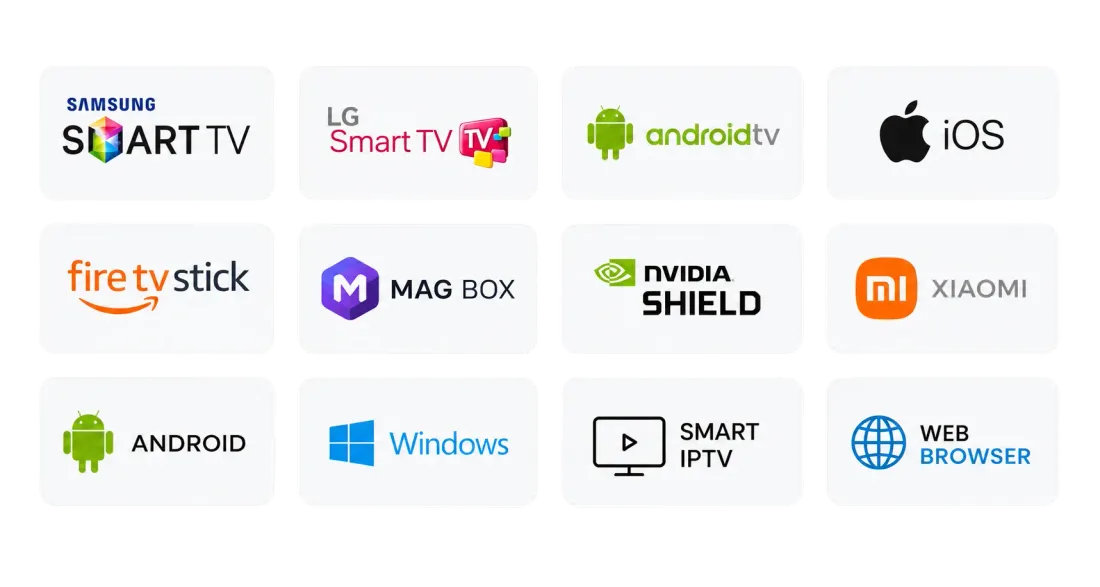
Illustration of common IPTV-compatible devices. For setup steps on each device, see our IPTV setup guide and compatible devices page.
Televo IPTV vs UKProviderNow
UKProviderNow is a UK IPTV service with an online checkout and customer dashboard. Here's how the two compare on their published plans and policies (28 September 2026).
| Televo IPTV (UK line) | UKProviderNow | |
|---|---|---|
| 1 month | £19.99 | — |
| 6 months | £40 (£6.67/mo) | £39 (£6.50/mo) |
| 12 months | £59 (£4.92/mo) | £59 (£4.92/mo) |
| 2 years | £89 (£3.71/mo) | — |
| 3 years | — | £149 (£4.14/mo) |
| Lifetime | £150 | — |
| Connections | 1 | 1 (extra devices £35 each) |
| Money-back guarantee | 7 days on 1-year Premium; otherwise case by case | 30 days |
| How you order | Online checkout, or WhatsApp | |
| Delivery | Email (Xtream Codes or M3U) | Email, WhatsApp or Telegram |
| Account dashboard | No | Yes |
| Auto-renewal | No (fixed-term plans) | No |
| Free tools | Yes | Yes |
Where Televo comes out ahead
- More plan lengths: a £19.99 one-month plan, a 2-year plan and a Lifetime plan, none of which UKProviderNow offers.
- Lower long-term cost: the 2-year plan works out at about £3.71 a month, against about £4.14 on UKProviderNow's 3-year plan.
Where UKProviderNow comes out ahead
- Stronger refund policy: a 30-day money-back guarantee on every plan, against 7 days on one Televo plan.
- Online checkout and dashboard: buy without messaging anyone, and manage your subscription yourself.
- More delivery options: email, WhatsApp or Telegram.
- Clearer pricing: one range of plans, all in pounds.
For a closer look at UKProviderNow, see our UK IPTV vs UKProviderNow comparison.
Verdict: is Televo IPTV worth it?
Televo IPTV is worth a look if you want flexibility on plan length — especially the £19.99 one-month plan to try it, or the £89 two-year and £150 Lifetime plans for the long term — and you're happy to order on WhatsApp and receive your login by email. Stick to the pounds-priced IPTV UK line to avoid confusion with its euro plans, and choose the 1-year Premium plan if a money-back guarantee matters to you.
If a longer refund window, online checkout and an account dashboard matter more than plan choice, UKProviderNow is the better fit, with a 30-day money-back guarantee on every plan.
Televo IPTV FAQ
How much does Televo IPTV cost?
Televo's UK plans cost £19.99 for 1 month, £40 for 6 months, £59 for 1 year, £89 for 2 years and £150 for Lifetime. It also sells separate plans priced in euros. See the current prices on Televo's IPTV plans page.
Does Televo IPTV have a free trial?
Televo lists a 24-hour free trial on its World IPTV 12-month plan. Its UK line doesn't list a free trial; instead, the 1-month plan (£19.99) is described as a way to try the service, and the 1-year Premium plan lists a 7-day money-back guarantee.
Is Televo IPTV legit?
Televo publishes terms of service, a privacy policy, a DMCA page and contact details (WhatsApp, email and a contact form) on televouk.com. As with any IPTV service, check that it's licensed to show the channels you want before you pay.
How does Televo deliver the subscription?
You order on WhatsApp. After payment, Televo says it emails your login — as an Xtream Codes login or an M3U playlist URL — with a setup guide, usually the same day.
What devices does Televo IPTV work on?
Televo lists Smart TVs, Firestick, Android boxes, MAG devices, phones, tablets and computers. Any device that runs an IPTV app supporting Xtream Codes or M3U should work.
Televo IPTV or UKProviderNow — which is cheaper?
For 12 months both cost £59. For 6 months UKProviderNow is £1 cheaper (£39 vs £40). For longer terms, Televo's 2-year plan (£89) has a lower monthly cost than UKProviderNow's 3-year plan (£149). Televo also has 1-month and Lifetime plans; UKProviderNow doesn't.
Which has the better refund policy?
UKProviderNow publishes a 30-day money-back guarantee on its plans. Televo lists a 7-day money-back guarantee on its 1-year Premium plan and handles other refunds case by case, according to its terms.
More: how IPTV works · IPTV setup guide · UK IPTV plans · UK IPTV homepage